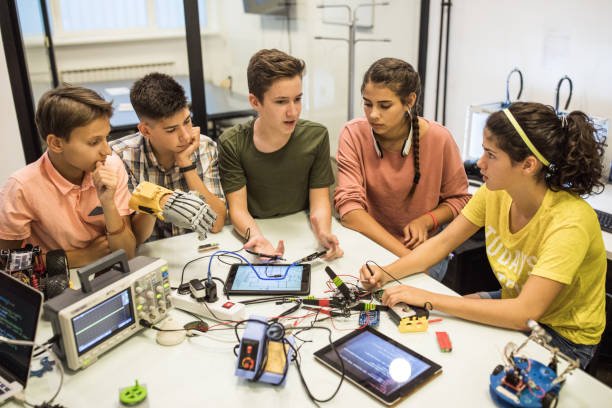
In today’s digital world, students have access to powerful tools that can completely transform the way they study, manage time, and complete assignments. In 2026, free tech tools are more advanced than ever, offering smart features powered by artificial intelligence and automation.
Whether you’re in school, college, or university, using the right tools can help you study smarter—not harder.
In this article, we’ll explore the best free tech tools for students in 2026 that can boost productivity, improve learning, and make academic life easier.
Why Students Need Tech Tools in 2026
Education has changed rapidly in recent years. Traditional study methods are no longer enough to keep up with modern demands.
Key Benefits of Using Tech Tools
- Better time management
- Improved focus and productivity
- Faster research and learning
- Organized notes and assignments
- Reduced stress
Students who use smart tools often perform better because they work more efficiently.
Top Free Tech Tools for Students
Here are some of the best free tools every student should try in 2026:
1. Notion for Note-Taking
Notion is an all-in-one workspace where students can take notes, manage tasks, and organize their study materials.
Best Features:
- Customizable notes
- Task tracking
- Study planning
Why Students Love It: It keeps everything in one place.
2. Grammarly for Writing
Grammarly helps students improve their writing by correcting grammar, spelling, and tone.
Best Features:
- Real-time suggestions
- Tone improvement
- Plagiarism checker (limited free version)
Perfect For: Essays, assignments, emails
3. Google Docs for Collaboration
Google Docs is a free online document editor that allows students to work together in real-time.
Best Features:
- Auto-save
- Easy sharing
- Team collaboration
4. Canva for Design
Canva is a beginner-friendly design tool for creating presentations, posters, and social media graphics.
Best Features:
- Ready-made templates
- Drag-and-drop design
- Free assets
5. Khan Academy for Learning
Khan Academy offers free courses on a wide range of subjects, including math, science, and more.
Best Features:
- Video lessons
- Practice exercises
- Personalized learning
6. Quizlet for Revision
Quizlet helps students memorize information using flashcards and interactive quizzes.
Best Features:
- Flashcards
- Practice tests
- Games for learning
How to Choose the Right Tools
With so many options available, choosing the right tools can be confusing.
Consider These Factors:
- Your study needs (notes, writing, design)
- Ease of use
- Device compatibility
- Free vs paid features
Start with a few tools and expand as needed.
Practical Study Tips Using Tech Tools
Using tools effectively is just as important as choosing them.
Smart Study Tips
- Use Notion to create a study schedule
- Write assignments in Google Docs
- Check grammar with Grammarly
- Revise using Quizlet daily
- Watch lessons on Khan Academy
Combining these tools can significantly improve your performance.
Common Mistakes Students Should Avoid
While tech tools are helpful, misuse can reduce their effectiveness.
Avoid These Mistakes:
- Using too many tools at once
- Relying completely on AI
- Not organizing notes properly
- Ignoring deadlines
Keep your workflow simple and consistent.
Future of Tech Tools in Education
Technology will continue to play a major role in education. In the coming years, students can expect:
- More AI-powered learning assistants
- Personalized study experiences
- Virtual classrooms and simulations
Students who adapt early will have a strong advantage.
FAQ Section
1. Are these tools completely free?
Most tools offer free versions with optional paid features.
2. Which tool is best for note-taking?
Notion is one of the best all-in-one note-taking tools.
3. Can tech tools improve grades?
Yes, if used properly, they can boost productivity and learning.
4. Are these tools safe to use?
Yes, these are trusted platforms used by millions worldwide.
5. How many tools should a student use?
Start with 2–3 tools and expand based on your needs.
Conclusion
Free tech tools in 2026 have made learning easier, faster, and more efficient than ever before. By using the right combination of tools, students can manage their time better, improve their skills, and achieve better results.
Start exploring these tools today and take your academic performance to the next level. Smart work always beats hard work—especially when technology is on your side.